
Epinium updates: Profitability, your P&L down to contribution margin
Epinium Profitability: Amazon Seller, Vendor and Ads P&L down to contribution margin, by product and marketplace. What it includes, which plan you need and how to add your product cost.
 Carlos Martínez 7 min read
Executive summary
- What changes: Profitability arrives, a new section with your Amazon Seller, Vendor and Ads P&L down to contribution margin, by product and marketplace, with your product cost.
- What you need to do: open Profitability and complete your product costs with a file. And if you have Smart Campaigns, migrate them before 22 October: you now choose which campaign to keep.
- What else is new: your assistant now writes to your Shopify or WooCommerce store, workflows have a new design, clusters filter the whole Dashboard, and Epinium is now in the ChatGPT apps directory.
Table of contents
Selling a lot is not the same as making money. Between the sale and what you keep sit Amazon’s commissions, shipping, storage, returns, advertising and what the product costs you. From today Epinium brings all of that together on a single screen. Here is what you see, which plan includes it and what else changed this week.
1. Profitability: your P&L down to contribution margin
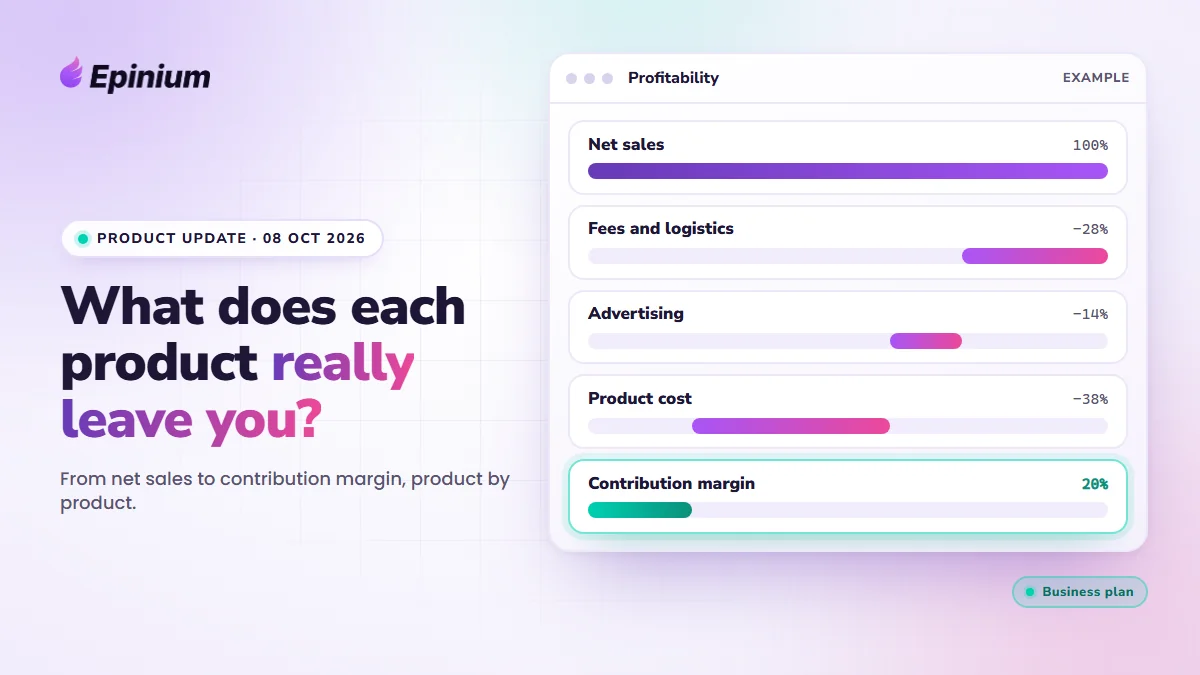
The Profitability section has two screens: P&L and Margin by product. Both go from sales to contribution margin, which is what each sale leaves after paying the channel, advertising and the product.
Net sales
− Fees and logistics (commissions, FBA shipping, storage, other fees)
= Net proceeds
− Advertising (Sponsored Products, Brands and Display)
− Product cost
= Contribution margin
What you see in the P&L. Indicators at the top (net sales, net proceeds, contribution margin, margin on net sales and TACoS, each compared with the previous period), the period waterfall and a table with every line, by month or by day. You can filter by connection and by country, and a table crosses where you sell with where you advertise.
What you see by product. In Margin by product there is one row per product and marketplace, with each fee, advertising, cost and margin. The Cost coverage column tells you what share of that product’s sales has a cost, so you see at a glance which ones are missing it.
Where the data comes from. From your Amazon Seller Central, Vendor Central and Amazon Ads accounts. Everything is shown in your profile currency, and each amount is converted at the exchange rate of the day it happened.
You enter the product cost yourself, because Amazon does not know what it costs you to make or buy each unit. You add it product by product in its detail page or by importing a file (there is a template to download). Each cost carries a Valid from date: if that day is in the past, Epinium recalculates your history, and earlier sales keep being calculated with the cost of that time.
Where the boundary is.
- Business and Master: product cost, contribution margin, margin on net sales and cost coverage.
- Guru: the P&L goes down to advertising. You see sales, fees and advertising, and the last figure is called “What remains”, not margin, because without your product cost it is not a real margin.
- Free: no access to the platform.
- It does not include overheads (salaries, office, tools) or taxes.
- While costs are missing, the margin shows higher than it really is. That is why the screen tells you what share of your sales has one.
The details are on the Profitability page, and the steps are in the help: P&L and margin by product and Product costs.
EPINIUM · PROFITABILITY
Find out what each product really leaves you. Connect your account, add your costs with a file and read the waterfall, from sales to contribution margin.
7 days free · no card · product cost and contribution margin from the Business plan
2. Smart Campaigns: migrate until 22 October and choose what to keep
If you still have Smart Campaigns, you have until 22 October 2026 to migrate them yourself. Whatever is still not migrated after that date, we will migrate for you, but it pays to get ahead of it, because that way you choose and can simulate the result first.
And since this week you choose more things when you migrate:
- Which campaign you keep from each Smart Campaign: the validation one or the performance one. By default Epinium picks the best-performing one.
- What happens to the others: pause them (the default, and reversible) or archive them. Archiving cannot be undone, and the dialog warns you.
- Whether you also keep the automatic campaign. Then the same workflow adjusts its bids and negates the searches that do not convert.
- Whether the targets of the discarded campaigns move to the one that stays.
You do it from Advertising → Ad Agents, with the Migrate campaigns button. You need a Campaign optimizer workflow already created: the dialog takes you to create it if you do not have one. The steps are in the help guide.
Other improvements
- Your assistant writes to your store. On Shopify and WooCommerce, the assistant that uses the Epinium MCP can now create, edit and delete products and content, with the Edit permission under Data from your connected stores and platforms. It is part of the Business plan. Changes are applied directly, with no task beforehand, and are recorded for 12 months. If your WooCommerce connection was made with a read-only key, or your Shopify app does not have the write permissions, you need to reconnect it: the Shopify and WooCommerce guides explain how. A workflow can also read and write to your store with the Store request node.
- Epinium is now in ChatGPT. It is in the ChatGPT apps directory. We start with Amazon data, and Shopify, WooCommerce and more channels will come in the next few weeks.
- Workflows with a new design. The detail page and the list have been redesigned. The autonomy modes (Maintenance, Growth and Expansion) lock the settings that do not apply, so you do not drift away from the chosen mode by accident. A workflow’s campaign table shows status, connection, budget and 14-day ACOS, with filters. There is also an overlap warning between workflows and progress for each run. When you create a workflow from the chat, the canvas tidies itself up.
- Clusters everywhere. The Dashboard filters by cluster, and your assistant can create, edit and delete keyword clusters with the catalog permission (Business). In the MCP, metrics are grouped by cluster.
- MCP metrics by week, month, quarter or year. And the assistant finds the data it needs by searching for it by name, acronym or synonym.
- Campaigns with no workflow or no goal: a new filter to find them, and bulk edit applies to the whole result.
- Sponsored Brands and Sponsored Display in portfolios: add them to and remove them from a portfolio from the assistant.
Security and reliability
- The bid optimizer is more cautious: when it lowers a bid because of a high ACOS it stops at the one that meets the target, never goes below your minimum bid and does not repeat a decrease until it has new data.
- A workflow that writes to your store asks for the same permission as your assistant, and workflow requests only go out to the public internet.
- Total Seller sales are always calculated without VAT and without deducting returns, and it is the same figure in the API, the MCP and the P&L.
- Fixes in the public API and in workflows, such as texts with several variables.
What we recommend you do this week
- If you are on Business or Master: open Profitability, look at the coverage message and import your costs with the template. Epinium recalculates your history with them and you will see the contribution margin of each product.
- If you are on Guru: open Profitability and review your waterfall down to advertising. When you want to see how much you really make, product cost is in Business.
- If you have Smart Campaigns: simulate the migration and do it before 22 October.
- If you have a store and are on Business: check that your connection has read and write access, and ask your assistant to show you the latest changes in your store.
Frequently asked questions
What does the Epinium P&L include and what does it not?
It goes from sales to contribution margin: net sales, fees and logistics, advertising and product cost, by product and marketplace. It does not include overheads such as salaries, office or tools, or taxes.
Which plan do I need to see contribution margin?
The Business plan or above. On Guru the P&L goes down to advertising and the last figure is called “What remains”, because without your product cost it is not a real margin. On Free there is no access to the platform.
Which channels does it work with?
With your Amazon Seller Central, Vendor Central and Amazon Ads accounts. Epinium is full commerce and more channels will come, but today the P&L is calculated with Amazon.
How do I add my product cost?
Product by product, in the Cost tab of its detail page, or by importing a file with the template Epinium lets you download, with one row per product and marketplace. Each cost carries a Valid from date: with a past date, the P&L is recalculated from that day.
What happens if I do not have the cost of all my products?
The margin shows higher than it really is. The screen tells you what share of your sales has a cost, and the Cost coverage column in Margin by product shows you which ones are missing.
Until when can I migrate my Smart Campaigns?
Until 22 October 2026. After that date, we migrate the ones that are still not migrated. If you do it yourself, you choose which campaign to keep, what to do with the others and you can simulate the migration first.
EPINIUM · PROFITABILITY
Know what each product leaves you, not just how much you sell. Your Amazon P&L down to contribution margin, by product and marketplace.
7 days free · no card · product cost and contribution margin from the Business plan